Observability & Monitoring
Configure email alerts and Sentry error reporting for your MCP server
This guide explains how to enable monitoring for your MCP server, including:
- Email alerts for failed tool calls (comma‑separated recipient list)
- Sentry error reporting using a project DSN (Data Source Name)
- Sending a test event to verify your configuration
Prerequisites
- A RapidMCP account with at least one MCP server
- Optional: A Sentry project (to obtain a DSN)
Open Monitoring Settings
- Go to your RapidMCP dashboard and open your MCP server
- Open the Logs page and expand “Monitoring settings”
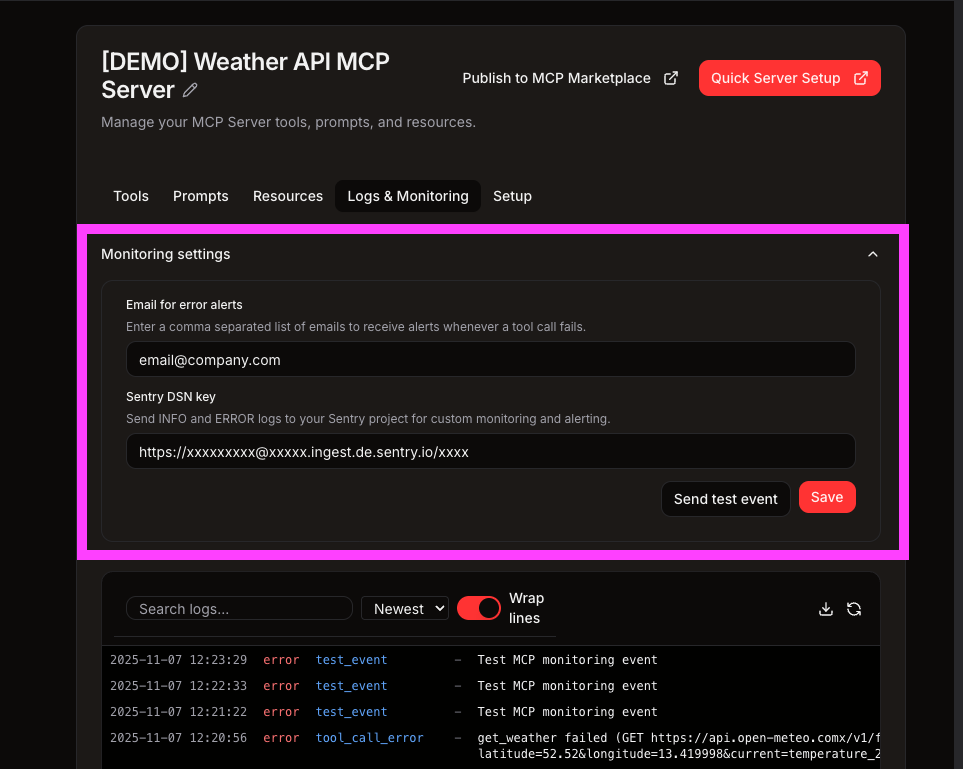
Email Alerts (comma‑separated list)
Enter one or more email addresses to receive error alerts. Use a comma‑separated list.
Examples:
you@example.com
you@example.com, teammate@example.com
Notes:
- Alerts are sent only for error‑level events
- Whitespace around emails is ignored
- Leave blank to disable email alerts
Sentry DSN
Paste your Sentry DSN to forward events to your Sentry project. DSN format must be:
https://<publicKey>@<host>/<projectId>
Examples:
https://abc123xyz@o4510.ingest.sentry.io/4510323301679184
Validation rules we enforce:
- Must be a valid http/https URL
- Must include a public key (the URL username)
- Project ID must be numeric
If the DSN fails validation, you’ll see a clear error and the setting won’t be saved.
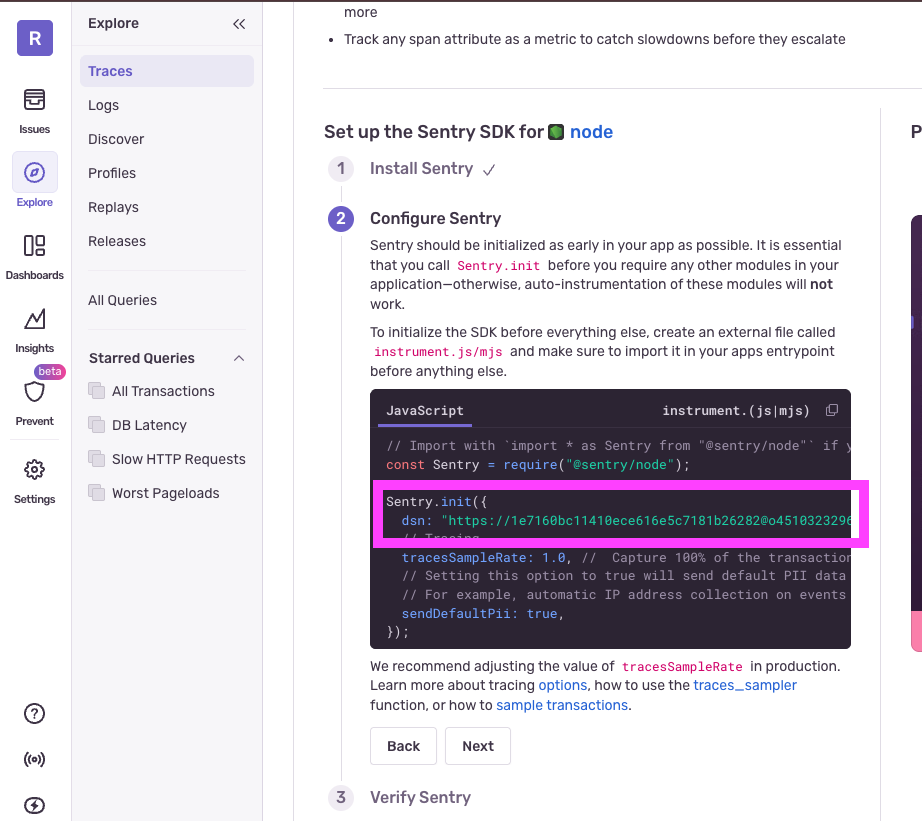
Where to find your Sentry DSN
In Sentry, navigate to your project settings → Client Keys (DSN) and copy the DSN.
Send a Test Event
Use “Send test event” to verify your configuration:
- Creates a non‑billed test log entry
- Sends to Sentry if DSN is set
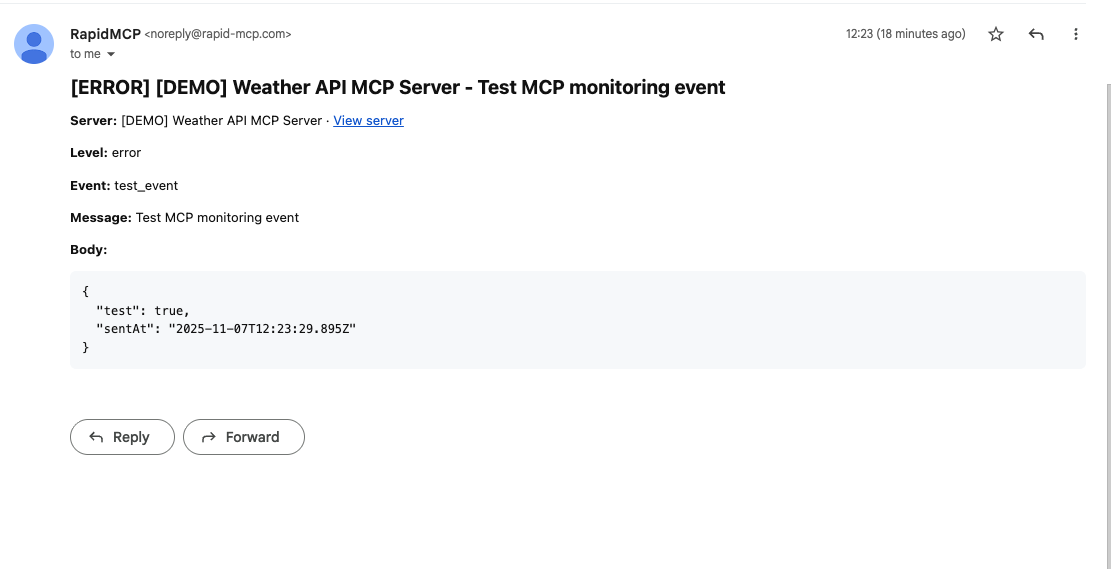
- Sends email if email alerts are configured
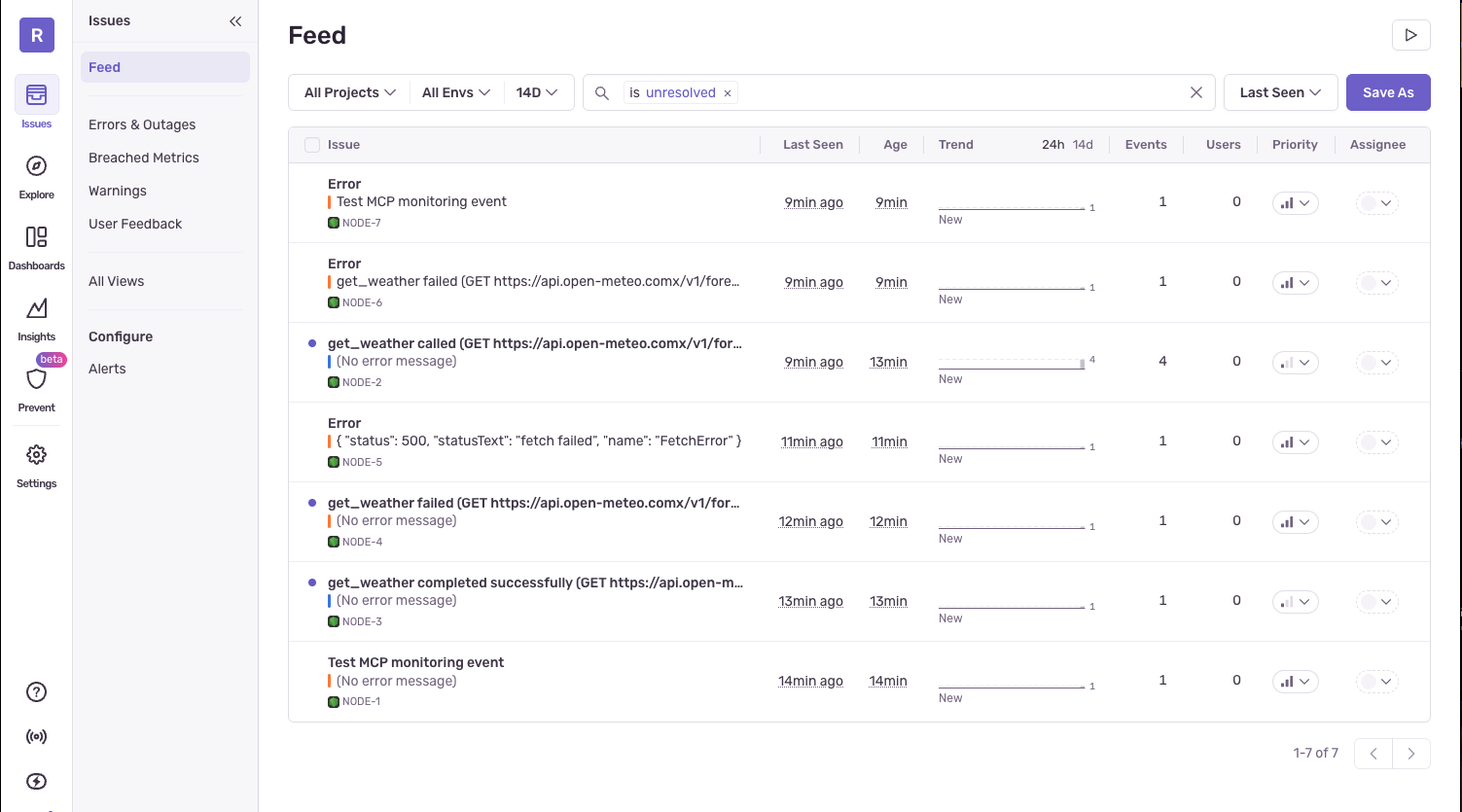
If everything is correct, you should see the event in your Sentry project and/or receive an email alert (for error‑level events).
Troubleshooting
- “Invalid Sentry DSN format”: Ensure the DSN matches
https://<publicKey>@<host>/<projectId>and the projectId is numeric - “No email sent”: Check you’ve entered at least one valid email and that the event is error‑level
- “No event in Sentry”: Verify the DSN belongs to the correct project and try sending a test event again
Security & Privacy
- RapidMCP only uses the provided DSN to forward monitoring events
- You can remove or change the DSN and email list at any time